Sometime ago I got an HTC Wildfire and was having loads of fun using it, but every time I wanted to do anything 
To do the rooting you must have your Wildfire with S-OFF, HBOOT 1.02.0002 and Android 2.2.1 . You can check it by booting into HBOOT (power on your phone by holding the VOLUME DOWN + POWER button) .This method is strictly for the 2.2.1 owners. How you can turn the S-OFF is your headache, you can try the alpharev (ask the team if they can get you a 2.0 test version... :P) or you can wait for Unrevoked 3.33 or you can straight off go to market and hunt for XTC clip. Either way, try it and don't attempt to anything before you get S-OFF. Actually the notorious S-ON flag is the cause rooting wildfire is such a pain in the a**.
I used to have this
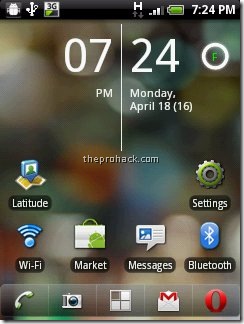
and I converted it into this :)

or this =)

Anyways, here is how you can root HTC wildfire 2.2.1 and get htc wildfire Android 2.3
What you need ?
- HTC wildfire with S-OFF , HBOOT 1.01.0002 , OS Froyo 2.2.1
- USB Drivers (Download)
- RUU Rom 2.1 / RUU_Buzz_HTC_WWE_1.14.405.2_R_Radio_13.45.55.24_3.35.15.31_release_130814_signed (Download)
- Unrevoked 3.2 Test version (Download)
- Cyanogenmod 7 (Download) and Google Apps (Download)
- Time and Patience & last but not the least,
- Balls of Steel
Disclaimer
I am not responsible if your phone gets bricked, by following the process you are voiding your warranty and significant damage may be caused to your device.
Its all for educational purposes only, if you are dumb enough to screw somewhere then I will be the one who will be laughing at you.
Software are unpredictable in nature, one may/may not act as predicted especially in case of rooting (personal experience). Hence my friend, tread carefully.
in short,
I AM NOT RESPONSIBLE FOR YOUR STUPIDITY.
Step 1 - Installing the USB drivers
Download USB drivers and extract them on desktop. Turn off your wildfire and boot into HBOOT by holding the VOLUME DOWN + POWER button. Connect your phone to your PC and it will show "drivers installing" or similar there for Android device. When prompted , install the drivers by going to device manager and browsing to the folder where you extracted the drivers. Once installed, disconnect and reboot your phone normally.
Now you need to install the Android bootloader interface. Connect it to your HTC wildfire to the PC and it will ask for drivers again, now go to device manager, click on unknown device,
click on update driver -> install from specific location -> No i will choose to install -> choose Android phone and click on adb interface -> click next -> when asked to install click on continue anyway, just install them.
Once done you will see your phone recognized as "Android bootloader interface". Now disconnect your phone and go into
settings -> applications - > development - > enable USB Debugging.
Congratulations, the first step is complete.
Step 2 - Downgrading from Android 2.2.1 Froyo to Android 2.1 Eclair
Download the RUU rom which is an original stock rom. Plug your phone into the PC and set it to "Charge through USB". Double click RUU rom .exe. Follow the on screen instructions and then let it install. Your phone will reboot into stock HTC 2.1 :) This will be the last time you will be seeing it though.

The HBOOT version will be now 0.80.0002 (check it by powering on your phone by holding the VOLUME DOWN + POWER button) Once done disconnect your phone.
Step 3 - Gaining root using UnrEVOked , get clockworkmod and set your phone free :)
Download the test version of unrevoked. Let me repeat, DO NOT USE UNREVOKED 3.32 as it will lead to CID errors or to be precise this error
"validation error backup cid is missing"
This may be caused as the 3.32 doesnot support HBOOT 0.82.0002. Hence You need specific test version of Unrevoked 3.2 to do the job. Download it, save it on desktop, and run it. Now connect your phone and the rooting will start. Once donw, you will have Clockworkmod recovery installed on your phone. Reboot your phone now (using the VOLUME UP/DOWN key for navigation and clicking using TRACKBALL, the POWER button takes you back in menus). Once rebooted, you will see the superuserapp in your phone and congratulations, your phone is successfully rooted :)
Step 4 - Installing Cyanogenmod 7 or Android Gingerbread 2.3.3
Download the Cyanogenmod 7 with google apps and save it on desktop, connect your phone as USB diskdrive and transfer both zip files on SD card. Once done, reboot your phone into ClockworkMod Recovery (booting by holding the VOLUME DOWN + POWER button and clicking on recovery)
Once the device boots into the ClockworkMod Recovery, use the side VOLUME buttons to move around, and either the POWER button or the TRACKBALL to select.
- Select the option to Wipe data/factory reset.
- Then select the option to Wipe cache partition.
- Select Install zip from sdcard.
- Select Choose zip from sdcard.
- choose update-cm-7.0.0-buzz-signed.zip & Let it install.
- Once done, Select Install zip from sdcard.
- Select Choose zip from sdcard, choose gapps-gb-20110307-signed.zip
- Once the installation has finished, to get back to the main menu by clicking the POWER button and select the Reboot system now option.
Congrats..The HTC Wildfire should now boot into CyanogenMod.


Enjoy Android 2.3.3 :)
Special thanks to 3xeno
greetz fly to Singla | Parul | Nilesh | Satwik Bhai | Broken Angel | Rahul Bhai
Dude,most probabely i'll buy wildfire,in coming days !sbse phle aate hi,i'll try out al this rooooooting on it !!
ReplyDeleteHope everything goes rite ,awsm post rather i think the best post uptil yet !
it's show: BOOTLOADER VERSION ERROR
ReplyDeletewhen running this
ReplyDeleteRUU_Buzz_HTC_WWE_1.14.405.2_R_Radio_13.45.55.24_3.35.15.31_release_130814_signed
I got error that that this rom is not for my htc wildfire,
I have wildfire, android 2.2.1 how can solve this problem?
I have tried almost everything from here:
http://www.shipped-roms.com/index.php?category=android&model=Buzz
Thanks for the tutorial. Unfortunately I first got the Bootloader Version Error, then the Incorrect ROM Error (or something like that). My HBOOT version is 1.01.0001
ReplyDeleteUpdate: guess I figured out what's the problem with the Wrong ROM. My phone is carrier locked so the stock unlocked ROM you provided in the link above is useless. Unfortunately none of the ROMs on the site are from my carrier. So my first task now is to get the phone unlocked.
ReplyDeleteI am Having Same Problem and my HBoot Also Same and I am Using T Mobile in UK
ReplyDelete@Dan
ReplyDeleteHi Dan, have you turned S-OFF using XTC clip or not ? actually when you downgrade it using RUU, you need to have S-OFF and by having it, you will not get any kind of errors.
it's show: BOOTLOADER VERSION ERROR
ReplyDeleteDude,most probabely i'll buy wildfire,in coming days !sbse phle aate hi,i'll try out al this rooooooting on it !!
ReplyDeleteHope everything goes rite ,awsm post rather i think the best post uptil yet !
is it having S-OFF ?
ReplyDeleteNo its not Showing S-OFF.
ReplyDeleteSorry Mate it is S-ON
ReplyDeleteTell me how ?
Hmm...then it cant be rooted unless you unlock it first via XTC clip or alpharev test. You need to turn the Security Flag to off (S-OFF) in order to gain root access to the device bro...
ReplyDeletecan this guideline be use on htc incedible s???
ReplyDeletehi i have also htc wildfire, i make a mistake i try to upgrade it to android froxo without root it. since then my phone restart automaticaly when i try to boot it. I go from safe mode to recover it through sdcard but it dont mount it. Can you give me any suggest?
ReplyDeletei m not able to downgrade using RUU_Buzz_HTC_WWE_1.14.405.2_R_Radio_13.45.55.24_3.35.15.31_release_130814_signed
ReplyDeletehelp me plzzzzzzzzzzzzz
Im having this problem as well.
ReplyDeleteDoes anyone have another site to get Unrevoked 3.2 Test version ?
ReplyDeleteThe FileFactory link just doesn't work for me
Thanks
-Tom
cant say.i havenot got htc incrediable yet :)
ReplyDeleteguess its a case of firmware upgrade gone bad. Take it to customer care since you have not rooted it earlier
ReplyDeletewhat is the error you are facing ?
ReplyDeletelemme reupload it....
ReplyDeleteThanks - I've got unrevoked 3.2 now - worked 1st time, and have now rooted & installed CM7.0.3
ReplyDelete-Tom
congrats man :) Do try nighlty builds. I am running android 2.3.4 as of now on my device. Also the video google app is a charm.
ReplyDeletemy Buzz have HBOOT 1.01.0002.
ReplyDeletehave idea...??
hey where i can download the watch in first pic ?
ReplyDeleteplz plz plz tell me
are cyanogenmod 7 and android 2.3 same ? plz tell me
ReplyDeleteIn my windows 7 64 bit version after booting my wildfire the phone and connecting the phone is showing as "HTC android phone usb device" which I have tried to update from the downloaded usb driver folder. Which is showing not compatible. Where can i find the driver for windows 7 64 bit.
ReplyDeleteuninstall your HTC software and reinstall using modded USB drivers
ReplyDeleteGet it working with driver but now I am getting ""errot[131]: customer id error"" when tryed downgrading with RUU_Buzz_HTC_WWE_1.14.405.2_R_Radio_13.45.55.24_3.35.15.31_release_130814_signed...
ReplyDeleteMy current version is 2.2.1 .... what can be done now ..
How did you get you S-OFF? You bought your phone in Indian on na?
ReplyDeleteYes I bought it in india. But Through a google employee scheme . I suppose they made S-OFF flag to off.. Turning it on seems pretty hectic.. :-(
ReplyDeleteSorry thats should be S-on.. I need to make it off..
ReplyDeletemy wildfire has hboot-1.01.0002 with radio-3.35.20.10, do i need different rom then u described above
ReplyDeletedoes it support arabic ?
ReplyDeleteTry villainrom or sunabh, i guess they have the arabic support.
ReplyDeletecan you upload the alpharev test version???
ReplyDeleteCan you post the Alpharev 2.0 Testversion please.
ReplyDeletehey, can i flash other ROM than cyanogen 7?.
ReplyDeleteyep :) with ease
ReplyDeleteHey guys. To flash the stock rom over a branded rom you need to fake your phone id. google: downgrade hboot 1.01.002
ReplyDeleteJust got that stock rom working today.
Have fun
After i install 2.1 my touch screenn does not work and the hboot is same as before:(
ReplyDeleteAfter downgrading my phone is not responding.nThe Instelled Hboot is 6.01.1002 not The HBOOT version will be now 0.80.0002.What should I do?
ReplyDeleteafter everything is done, i.e, after rebooting in eclair, my wildfire is recognizing my touch.. what should i do now? pls help me !
ReplyDeleteIMPORTANT MESSAGE READ THIS BEFORE DOWNGRADE
ReplyDeleteattention mate... flashing my 2.2 unbranded wildfire to
(as you say in your article)
RUU_Buzz_HTC_WWE_1.14.405.2_R_C_Radio_13.45.55.24_ 3.35.15.19_release_141106_signed.exe
leads to TOTALLY DEAD touchscreen... and this don't happens only to me, look at this post on xda-developers:
http://forum.xda-developers.com/showthread.php?t=1011748
Attention, alpharevx S-OFF is out,
http://alpharev.nl/x/beta/
so a lot of people will downgrade their wildfire to gain root in these days, and if they find your article they will render their touchscreen unusable!!!
I solved flashing this ROM after some mumbling:
RUU_Buzz_HTC_WWE_1.37.405.1_Radio_13.53.55.24H_3.35.19.25_release_151892_signed
this one give me back touch screen... but i cannot guarantee that will work on all other wildfire...
i know is not your fault but better if you remove the article, or correct the rom release number, otherwise a LOT of people will hate you
thank you for posting
--
giacomo
go back to froyo 2.2. Then use the Alpharev beta to S-OFF after that use this link to root http://forum.xda-developers.com/showthread.php?t=1130044
ReplyDeleteI don't think so, my wildfire is up and running due to this stock rom. the whole point of using the stock rom was to downgrade to eclair, and you can use any method u want.
ReplyDeletehow is this possible? plaza give me specs of it phone.
ReplyDeleteThanks dude! I will try this even though I don't have any knowledge in rooting devices...
ReplyDeleteThanks .This saved my phone .
ReplyDelete:)
ReplyDeletewhen i click on RUU ROM.... i turn on my phone..follow the instructions...but it shows ERROR[170]:USB CONNECTION ERROR..........
ReplyDeleteplease help!!!
reinstall ur drivers and try again.
ReplyDeleteYeah thx very good discrisption s-off with alpharev x
ReplyDeletehttp://alpharev.nl/x/beta/
I like it =)
hey my phone got a problem same as that i cant use my touchscreen how can i fix this After downgrading my phone is not responding.The Installed Hboot is 6.01.1002 not The HBOOT version will be now 0.80.0002
ReplyDeletehey ...plz help me..i did wht u said, after downgrading to eclair went successful, i went to see the hboot version, it wasnt as u have showed. it was 6.01.1002...wht shld i do next..?? please help me
ReplyDeleteshould i continue the process..or stop
ReplyDeletehii there please tell me that how do i turn me s off thanks :(___
ReplyDeletehello guys i have wild fire can you p[ls pls tel me that how do i turn s=off pls thanks for your time
ReplyDeleteHelp Me How? My HBOOT is 6.01.1002...
ReplyDeleteHow Can I Downgrade It To 1.01...?
Stock Wildfire having 6.0.1.002 Hboot ? Hows that possible ?
ReplyDeletehey help me after downgraaing my touch screen isn't responsind what to do
ReplyDeletehey after completing d 2nd step my touch screen isn't response so what 2 do? it isn't even unlocking by sliding it??????????????????????????/
ReplyDeleteanswer me as fast as possible plz helphelp..............or am screwed
Please give me complete details of your phone, each and everything, HBOOT,
ReplyDeleteModel, Revision, Security FLag Status,, just everything.
Confirmed it on a test model, will be updating the article soon.
ReplyDeleteThanks :)
Flash it using this rom -
ReplyDeleteRUU_Buzz_HTC_WWE_1.37.405.1_Radio_13.53.55.24H_3.35.19.25_release_151892_signed
hey my phone touch screen is not responsing after degrading it as per d step plz help or am i screwed
ReplyDeletewhat all requirements do i need for inserting 2.3 ?? please tell because everyone above are not able to root their devices.their touch screens have stoped responding.so please tell me what all do i need because i dont know anything about this flashing,security flag status n all.please tell
ReplyDeletea333 htc wildfire it's s-off with alpha rev and wat do u want it was runnig 2.2
ReplyDeleteand yes my hboot-6.01.1002
microp-0622
touch panel-syn3ky_01
radio_3.35.15.31
nov 17 2010,12:08:53
here my hboot full details
works for me.. ;)
ReplyDeletethough sometimes when running 2 or more apps phone goes restarting..
-
at first i also got touchscreen problem, to resolve it, i just downloaded this and flashed it: (for this rom u can use unrevoked 3.3)
RUU_Buzz_HTC_WWE_1.37.405.1_Radio_13.53.55.24H_3.35.19.25_release_151892_signed
replacing this rom, which has a touchscreen problem:
RUU_Buzz_HTC_WWE_1.14.405.2_R_Radio_13.45.55.24_3.35.15.31_release_130814_signed
how do i install alpharevx for turning S-OFF ?? plz tell step by step.from plugging in my wildfire to my pc and from selecting the options like usb charging,etc till the end process.i am making this the most first step and then after this i will follow from the first step that you have mentioned above..is it ok ?? please tell fast fast fast
ReplyDeletehow do i overclock my wildfire after rooting ?? how do i increase its processor to 800 mhz ?? from where ?? how ?? plz tell
ReplyDeletehow do i install alpharevx for turning S-OFF ?? plz tell step by
ReplyDeletestep.from plugging in my wildfire to my pc and from selecting the
options like usb charging,etc till the end process.i am making this the
most first step and then after this i will follow from the first step
that you have mentioned above..is it ok ?? please tell fast fast fast
It Worked!!!
ReplyDeleteI got the S-off by using this guide.
Sorry for the white text, just mark it and it will be visible :)
Thank you so much!!
S-OFF using AlphaRevX1. Go to http://alpharev.nl/x/beta/ & download the windows version2. When it asks you for the serial, enter your phone's serial number. Go to Settings > About phone & enter your serial. Copy the code given into notepad3. Make sure you turn on USB debugging in Settings > Application > Development4. Install the HTC Driver. Mine is in the memory card that came with the phone5. Extract & run alpharevx.exe. Use the code given earlier. Then connect your phone. It should detect & your phone should display USB debugging mode6. Wait for it to complete. Once it is completed, you can remove your phone.7. To check turn off your phone. Then press volume down & power. On top it should display alpharevx & s-off
thanks a lot man. this helped a lot.
ReplyDeletejust download alpharevx from http://alpharev.nl/x/beta/ and run the app on ur pc . insert the beta key and u r done !! :)
ReplyDeleteThere seems to be no download for the widows program...help please!
ReplyDeletehi
ReplyDeletei want to downgrade my htc wildfire 2.2.1. help me for that
RUU_Buzz_HTC_WWE_1.14.405.2_R_Radio_13.45.55.24_3.35.15.31_release_130814_signed
ReplyDeleteshowed an error of (invalid customer id) in last 4 minutes
To use alpharevx you need to downgrade your boot loader to 1.01.0001 by generating goldcard. Find the process in http://bit.ly/ivlrVY .. after that go to http://alpharev.nl/x/beta/ and use alpharevx to rooting as well as installing clockworkmod. After that U dont to downgrade to eclair after that .. just write the cyanogen as described in the tutorial.. Enjoy
ReplyDeletefor some reason, I cant download the Google Apps
ReplyDeletethe download link is apparently invalid
i have turned S-OFF through Alpharev process and just need to root now.
is it vital that i get the Google Apps (if yes please post a new link :)
everything works fine now. thanks a lot for the post and the simple step by step procedures :) I dont mean to steal the spotlight from you, but anyone that needs help, just add me on skype "ivan.kossev" :))
ReplyDeletecaca pipi
ReplyDeletecan u reupload the google aps
ReplyDeleteRe-upload Google apps plz
ReplyDeletelink is dead!!
Hi Everybody, Could you please let me know the detailed procedure, i am unable to root android, when i entered recover....red sysmbol is coming. pls let us know wt to do
ReplyDeleteTom, Pleae let me know the detailed steps for getting root on 2.2, i am unable to do
ReplyDeleteЗдрасти! видях ви посинга за root-ne на wildfire
ReplyDeleteнай-мило те моля да споделиш опита си с мен
тъй като чета доста протеворечиви постинги.
благодаря предварително.
stoy74gmail .com
hi.....this is vijay i am having htc wildfire from 6months i am not getting the battery backup plz plz can you help me plz plz................
ReplyDeleteam trying to root am android 2.2 htc wildfire but while rooting unrevoked says an "error root failed . whether u have latest frimware?"
ReplyDeleteplease help me guys.
Hey, My HBOOT Version is 1.01.0002, How do i Root on this? Plz help
ReplyDeletei cant install the driver at step 1 windows 7 saying the most suitable driver already available please help !!! :(
ReplyDeleteYes! Thank you!
ReplyDeleteBUT
HTC-Sync have to be uninstalled!!
Get best working instruction from here !
ReplyDeletehttp://www.osbuzzer.com/f17/cyanogenmod-7-htc-wildfire-buzz-v7-0-2-a-154/
Hi!
ReplyDeleteI have a question: the alpharev s=off doesn't need a rooted phone??
worked a treat, many thanks :-)
ReplyDeleteI have a small and stupid problem... i can't get past step one with installing drivers... can someone tell me step by step please? I'm running windows 7 x64..
ReplyDeletethanks in advance. =]
woo got it working =]
ReplyDeleteThanks. Everthing works fine. Id like to update to 2.3 but the google apps link isnt working. Can you please post a new one?
ReplyDeletehttp://forum.xda-developers.com/showthread.php?t=1145035complete guide
ReplyDeletei have a error saying 131 Coustmer id error
ReplyDeletehow to overcome it ??? please help !
How di you modified the theme ??
ReplyDeletethis the best method uptil now which i hav gone through ...
ReplyDeleteplease tell me how can i change S ON to S OFF.....
i would be very very thankful if you help me rooting my wildfire 2.2.1...
do mail me at veerangk@gmail.com...
waiting eagerly for reply...
thanks for this post, belive me it really made all the difference and set me free from a great headache!!! !
ReplyDeletecan i change the rom of a Plain wildfire ( buzz) with a wildfire S ( marvel) .. the only difference between the 2 phones is that WF S has extra 72 MZH and extra 128 RAM
ReplyDeletePlz can u upload a full tutorial video of this on YouTube plz.
ReplyDeleteyes u are bro.he..he..he
ReplyDeletedas get nich bei mier ich bache hilfe
ReplyDeletehier ist mein handy nummer 015774016423
Hi everyone! Great tutorial! Works awesome at the very first time! For those who have different problems, I suggest them to read carrefully, and make sure that you have set S-OFF, HBOOT 1.02.0002 and Android 2.2.1 before they you move on, if you don't try to solve this problems!
ReplyDeleteCongrats Rishabh "xero" Dangwal! Good job!
can you upload google apps again?
ReplyDeleteI Felt Like God ...After it was done hahaha...
ReplyDeletethanks pee i love this
ReplyDeletemmmh...i like those clock...what app u use?i've searching it but couldn't find it...-_-" BTW i've root my wildfire an cyanogenmod7, but some widgets won't be installed,,,is that a serious problem?
ReplyDeleteafter hours of tinkering around, SUCCESS!! As aforementioned, TIME & PATIENCE.
ReplyDeleteJust go to http://revolutionary.io/ Download the app there.
ReplyDeleteLaunch it, plug your phone.
Enter the serial given in the app and the in the app the one given on the site.
Follow instructions and you're done.
i did it!!!! thanks! wow i have 2.3.3 :P
ReplyDeleteHi all! I followed the whole procedure, now my phone has got revolutionary installed. Anyway, if I try to enter in the revolutionary menu and if I select the function "install zip from sdcard", the program won't show the next submenu, so I can't see "Choose zip from sdcard".... Any ideas?
ReplyDeleteThank you everybody
fucking did it YA CUNT
ReplyDeletethanks man it's work my htc wildfire very very very thanks man
ReplyDeleteMaster! tytyty
ReplyDeletemaster!! tytyty
ReplyDeletewhat is your digital clock widget name??
ReplyDeletebro u rock man!!!!!
ReplyDeleteseriously this is the best tutorial.....i followed all u said and it got done smooth....
thanx a million brother
wow. finally i worked out. went to the city and had my phone s-off'ed for 10 buks... the step by step what is written above and: voila! thanks.
ReplyDeletehi i have boot loader version HBOOT 1.02.0001 not HBOOT 1.02.0002 when i try downgrading it says BOOTLOADER VERSION ERROR is there another version of ruu rom? or can i upgrade to 1.02.0002?
ReplyDeletesuperman
ReplyDeletethanks i figured it out in the end. went through a lot.
ReplyDeletedoes the blue android ever end?
ReplyDeleteHi dude,nice article for starters
ReplyDeletei have HTC wildfire Indian model,with HBOOT 1.01.0002 frayo its with S-ON how do I root It.. and if I. root it can I install live wallpapers and other things which r not available now on dis...??
And also can I install new htc sence..??
Hi the link you posted for downloading Google apps doesn't exist.Please help.
ReplyDeletedude its showing me ERROR 140 bootloader error
ReplyDeletewat is S-OFF , HBOOT 1.01.0002 ? clarify me
ReplyDeletewhat should i do if have HTC wildfire with S-ON , HBOOT 1.01.0001 , OS Froyo 2.2.1?? can i root it?
ReplyDeletei have htc wildfire buzz but iam unable to do s-0ff i tried my level best but i cant can u help me out with these issue
ReplyDeleteDude how did you manage that advance clock widget pro to display like that. I have tried but that enter after day of the week comes as a box. the separator line is also too big for you. How did you do that. Looks amazing +1 for that. Can you guide me through
ReplyDeletethe google apps are not downloading yaar could you suggest another link
ReplyDeletecan u tell htc wildfire can be upgraded from 2.2 to 2.3
ReplyDeletehow do you have solve it? i have the same problem
ReplyDeletedude you RULEEE!!!!!!!!
ReplyDeletehttp://cmw.22aaf3.com/gapps/gapps-gb-20110828-signed.zip
ReplyDeleteGuys! Is the procedure same for htc_asia_wwe(wild fire) ?
ReplyDeletehow i can S-off??? and what thats mena?
ReplyDeletesorry for bad english
RUU_Buzz_HTC_WWE_1.14.405.2_R_Radio_13.45.55.24_3.35.15.31_release_130814_signed for windows 7?
ReplyDeletehello bhai ye bataiye ke meine lucknow se htc wildfire a3333 khareeda tha jo apne upar diya ke kaise karna woh sab karliya hai par aap bataiye ke mein kya karoo???
ReplyDeletehello sir meine htc wildfire a3333 khareeda tha meine socha isko new performance karu par roots install nahi ho raha hai toh bataiye mein kya karu????
ReplyDeleteHi, everyone
ReplyDeleteThe only way to get S-OFF is downgrade de HBOOT to 1.01.0001. RUU_Buzz_HTC_WWE_1.14.405.2_R_Radio_13.45.55.24_3.35.15.31_release_130814_signed do this, but if you´ve another version to Wildfire (for example asia_india in my case), you need to install a small package that contains Gold Card Tools (see how to do in http://forum.xda-developers.com/showthread.php?t=1145035 )
With this small package you can finaly downgrade HBOOT wildfire (In my case I only run Gold Card Toll end, after that, run step 2)
After this steps, you can gaining root using revolutionary (http://revolutionary.io/ )
I hope that i can helpfull
Sorry for my poor English
Thank you very much for sharing. :)
ReplyDeleteCash for cell phones available at cashforsmartphones.com
Dude...you are the best...thanks...
ReplyDeletethx man thx alot....nice work
ReplyDeleteAwsm!! It works...thanks a lot!!...:)
ReplyDeleteCan I get d sense running with 2.3 with all f d apps running
ReplyDeleteCuz mst f d roms I find with sense are lacking with few f d apps
M very eager to do rooting once my this very is solved.
N 1 more thing does this method applies to india ? Cuz I heard Indian technology is slightly different.
hey liked the theme u r using!
ReplyDeletecan u tell me what theme is it?
Hi Rish,
ReplyDeleteAfter using the RUU tool, my phone boots fine but now I am not able to unlock the screen using the slider!!!!!. Can you please help me in how to go forward..Thanks in advance..
Nik
This is peice of Shit
ReplyDeletei hav to S-off my htc wildfire........its hboot version is 1.01.0002 and it has android 2.2.1
ReplyDeletemicrop 0622
touch panel-atmel224_16ab
radio-3.35.20.10
can ny1 plz help me wid dis????
when i run this RUU_Buzz_HTC_WWE_1.14.405.2_R_Radio_13.45.55.24_3.35.15.31_release_130814_signed file i get a customer id error pls help asap dude
ReplyDeleteAfter step 2 my touchscreen stopped working (Wildfire A3333)...
ReplyDeleteany luck with this... I've the same problem on my Wildfire A333
ReplyDeleteI doubled click on the RUU file after doing the Step 1 safely, but nothing happens...the last window I saw was "Your current version of OS" or so in my desktop, I accepted and then...NOTHING for 10 minutes yet. My phone is on and completely operative as nothing had to do with it...
ReplyDeleteWhat's wrong here? Should I keep waiting?
Carlos,
HTC Wildfire 2.2.1 Connected through USB, only charge, Debug mode on.
PC: 2.21 Ghz, 3GB RAM..Athlon 64
Followed the steps to the end and the phone won't statup. It just shows the HTC logo against a white background. I left it for 12 hours and still no change. How do I fix this?
ReplyDeleteFollowed the steps to the end and the phone won't statup. It just shows the HTC logo against a white background. I left it for 12 hours and still no change. How do I fix this?
ReplyDeleteGoogle apps downlaod link doesn't work
ReplyDeletei have BUZZ PUT SHIP S-OFF
ReplyDeleteHBOOT-1.01.0001
MI CROP-0622
TOUCH PANEL-ATMELC03_16ac
...
...
...
its ok or not?
my phone isnt recognized as an unknown device it comes up with usb mass storage device ;(
ReplyDeleteUnrevoked 3.2 Test version (Download)
ReplyDeleteye kya hai samajh me nahi aa raha ise download krne par kuchh file factory khul raha so plz. meri help karo ki mein aage ka step kar saku
google app not fond in this server bta raha hai
ReplyDeleteafter install android 2.3 on htc wildfire. i heard that many hardware features are not working including camera, WiFi, Bluetooth, USB and Audio is working for tones but not for media playback, and USB storage is not functioning. so plz tell me that is it all functions are working or not... thank you
ReplyDeletehi,, m getting cid errors 131 for downgrading htc wildfire ,,,wat shuld i do thn
ReplyDeletehow can i make rooting in htc wildfire S (2.3.3) ?
ReplyDeletePls guide
THE BEST TUTORIAL EVER. THANKS A LOT MAN. I DID IT WITH MY HTC Wildfire too! It took me an hour and 30mins but I did it. I had to S-off first. I did it with this video tutorial right here http://www.youtube.com/watch?v=kvg0i8in96M and then I did as you pointed out. Thanks. Be healthy :))) All the best, cheers :)
ReplyDeleteAwesome Man.. This worked on My HTC Wildfire.... Thanks :)
ReplyDeleteHere you go the fully detailed instructions
ReplyDeletehttp://forum.xda-developers.com/showthread.php?t=1145035
hi bro, this looks quite intersting, i am using wildfire from 9 months now, i had thought of rooting my phone many time but i did not do so till today, but after reading thia article, i feel like doing so,
ReplyDeletenow my Question is after rooting the phone is there any way to get back to the Default factory settings.... if that is possible then i can try rooting my phone, i dont want to take risk because so many things are running in my mind, i have not done any thing like this before (i mean in cell phones)
i WISH YOU POST UR REPLY TO MY FB PROFILE IT SELF,
https://www.facebook.com/prajwalkumar005
Hi PRAJWAL Here, I am using wildfire from past 9 months, i have thought of rooting my phone many times, but i did not do that so far, now after reading ur acticle, i feel like rooting my phone....
ReplyDeletebut my question is that after rooting the phone, will i be able to get back to the DEFAULT FACTORY SETTINGS......
ERROR [131]: CUSTOMER ID ERROR
ReplyDeleteThe Rom Update Utility cannot update your Android phone.
Please get the correct ROM Update Utility and try again
it wont downgrade gives a error
ReplyDeleteThis method sucks! and I didn't see those pics as great modifications! Yoh can get them without rooting. all you'll need is wkdget locker and launcher pro! BTW the camera and contact integration in CM7 sucks, and it can be cured!
ReplyDeletehello i have successfully rooted my HTC Finally after a lot of courage.. but i m missing the market app could you please tell me how to get the market app
ReplyDeleteHi, I've tried to root my HTC Wildfire A 3333, after downgraded to 2.1 my touch sense stopped working, means unable to root with Unrevoked without enabling USB mode, because my screen not working.
ReplyDeletePlease anybody let me know how to fix it.
my screen wont work
ReplyDeleteTHANKS, I RECENTLY GOT ME AN HTC WILDFIRE N DECIDED TO FOLLOW UR INSTRUCTIONS HERE. IT WAS ALREADY UPDATED TO 2.2.1 SO I FOLLOWED EVERY THING UP TO THE POINT OF DOWNGRADING TO THE STOCK ROM, AFTER DOWNGRADING MY PHONE REBOOTED NORMALLY UP TO THE HOME SCREEN ONLY THAT NOW MY TOUCH DOESN'T WORK ANY MORE N WHEN I REBOOT INTO HBOOT IT SAYS
ReplyDeleteBUZZ PVT SHIP S-OFF
HBOOT-0.80.0002
MICROP-0622
TOUCH PANEL-FAIL
RADIO-3.35.15.31
MAY 13 2010,22:09:43
AM STACK NOT EVEN UnrEVOked CAN DETECT IT. IT'S ORIGINALLY FROM T-MOBILE.IS THERE ANYTHING I CAN DO TO FIX IT OR HAVE I BREAKED MY PHONE
THANKS, I RECENTLY GOT ME AN HTC WILDFIRE N DECIDED TO FOLLOW UR
ReplyDeleteINSTRUCTIONS HERE. IT WAS ALREADY UPDATED TO 2.2.1 SO I FOLLOWED EVERY
THING UP TO THE POINT OF DOWNGRADING TO THE STOCK ROM, AFTER DOWNGRADING
MY PHONE REBOOTED NORMALLY UP TO THE HOME SCREEN ONLY THAT NOW MY TOUCH
DOESN'T WORK ANY MORE N WHEN I REBOOT INTO HBOOT IT SAYS
BUZZ PVT SHIP S-OFF
HBOOT-0.80.0002
MICROP-0622
TOUCH PANEL-FAIL
RADIO-3.35.15.31
MAY 13 2010,22:09:43
AM STACK NOT EVEN UnrEVOked CAN DETECT IT. IT'S ORIGINALLY FROM T-MOBILE.
IS THERE ANYTHING I CAN DO TO FIX IT OR HAVE I BREAKED MY PHOONE
THANKS, I RECENTLY GOT ME AN HTC WILDFIRE N DECIDED TO FOLLOW UR
ReplyDeleteINSTRUCTIONS HERE. IT WAS ALREADY UPDATED TO 2.2.1 SO I FOLLOWED EVERY
THING UP TO THE POINT OF DOWNGRADING TO THE STOCK ROM, AFTER DOWNGRADING
MY PHONE REBOOTED NORMALLY UP TO THE HOME SCREEN ONLY THAT NOW MY TOUCH
DOESN'T WORK ANY MORE N WHEN I REBOOT INTO HBOOT IT SAYS
BUZZ PVT SHIP S-OFF
HBOOT-0.80.0002
MICROP-0622
TOUCH PANEL-FAIL
RADIO-3.35.15.31
MAY 13 2010,22:09:43
AM STACK NOT EVEN UnrEVOked CAN DETECT IT. IT'S ORIGINALLY FROM T-MOBILE.
IS THERE ANYTHING I CAN DO TO FIX IT OR HAVE I BRICKED MY PHONE
Hi,
ReplyDeletei am going for android 2.3 from 2.2.1 wildfire , just one concern : after rooting, what about the HTC sense ? Will it work properly or we have to go for Google Play for its alternative.
Please suggest .
hi im not sure if someone directly responded to this post with a solution, but what i had to do first was change my hboot version. in my case my orginal hboot version was 1.01.0001 with this version i got that error, i then changed it to 6.01.1002 using revolutionary then tried flashing a ruu rom and it work.
ReplyDeleteps you might also run into another problem in my case some rom didnt have the correct driver for my touch screen i found that the one that worked was
RUU_Buzz_hTC_Asia_India_1.25.720.1_Radio_13.45.55.24_3.35.15.31_release_142213_signed.exeor
RUU_Buzz_hTC_Asia_WWE_1.25.707.1_Radio_13.45.55.24_3.35.15.31_release_142190_signed.exe.
if you have any other question contact me on windsor_43@yahoo.co.uk
NICE GUIDE I DID IT
ReplyDeleteGreat tutorial thank you!!!!
ReplyDeletewhen iam restarting phone after ruu process the phone got stuck and can't enable usb debugging . is there anyway to install clockwork md recovery from booting?????????
ReplyDeleteEverything does fine, thanks for your help.
ReplyDeletehey rishabh, my hboot version is 1.01.002... and drivers are not getting installed on phase 1, second step......any suggestions
ReplyDeleteHey,i just waned
ReplyDeleteto know if overclocking will also be done if i do
this procedure?
As u know,the possibility of increase in processor speed is one of the main incentives for rooting .. pls reply.
hi my friend im waheed ahmad from pakistan multan all is very will thanks
ReplyDeleteMy phone Is wildfire a 3333..version 2.2.1 and is already with 1.01.0001.....s.on...
ReplyDeleteHow to update software to 2.3..??
How to S-Off and Root the HTC Wildfire android 2.2.1 with HBOOT 1.02.0002 and serial no is. HT11XPY09039...
ReplyDeleteplease tell me i m waiting for ur reply...
Hey How to hboot ,
ReplyDeleteI tried doing Power button+Volume key down, but it just VIBRATES THE PHONE